Why Billnox beats a spreadsheet for freelance time and billing
A spreadsheet works until you have several clients. Where it breaks down for freelance billing, and what Billnox does at each point.
By Billnox · · 2 min read
A spreadsheet is where most freelancers start, and with one or two clients it does the job. It fails in specific, predictable places. Here is where, and what Billnox does at each one.
Where a spreadsheet breaks down
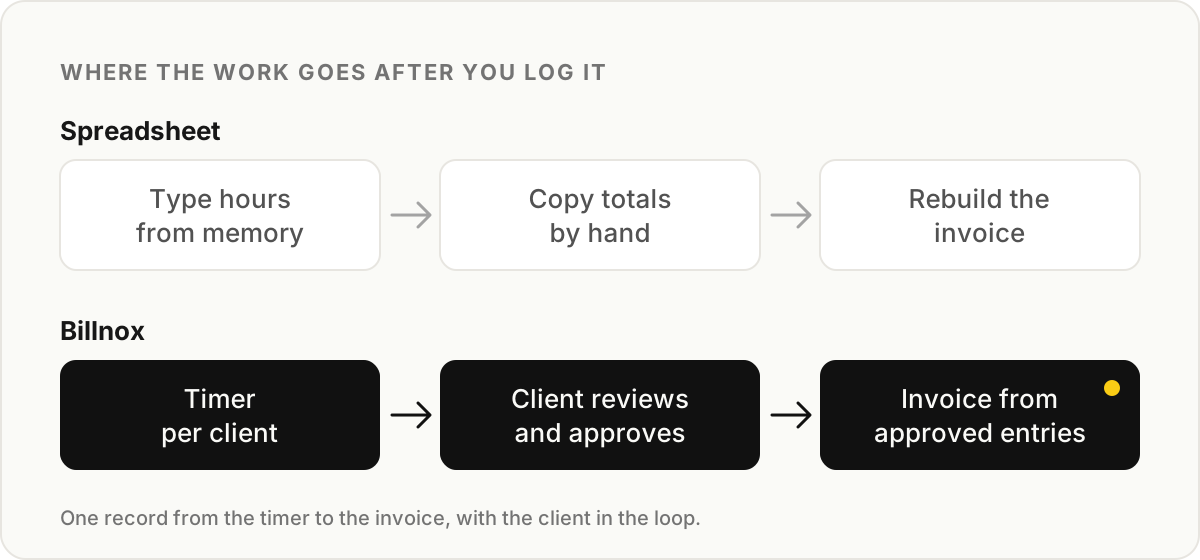
- Nothing starts the timer. You type hours from memory, and memory rounds in whichever direction is convenient.
- The total lives in one place and the invoice in another. Every invoice is a copy-and-paste job with room for a wrong number.
- The client sees nothing until the invoice arrives, so every question comes with a bill attached.
- Overlaps are invisible. The same hour entered under two clients looks perfectly normal in a grid of cells.
What Billnox does instead
Billnox records time with a timer, against a client and a project. You can run more than one timer when work genuinely overlaps, and entries that share the same time are flagged before they reach an invoice, so you do not bill one hour twice by accident.
Clients get a client workspace: a link and an access code, no account to create. They can review entries, approve them and send task requests. Questions get asked while the work is fresh, not after the invoice is sent.
Invoices are built from the entries, for hourly clients and for fixed monthly retainers, and can be downloaded as a PDF or shared as a link. Each invoice uses the client's own billing currency and Billnox does not convert amounts, so the total on the invoice is the total you worked out. See freelance invoicing for the detail.
When a spreadsheet is still fine
If you have one client, bill rarely and nobody ever questions an invoice, a spreadsheet is enough. The moment you have several clients, a retainer, or a client who asks what an invoice covers, the cost of keeping the record and the invoice apart starts to outweigh the cost of switching. Billnox is in open beta, and you can start with one client and see whether it holds up. Freelance time tracking covers how.